
Case studySpanish learning apptapas.marcobagiacchi.it

Tapas

Tapas: the app for learning the Spanish of Spain.

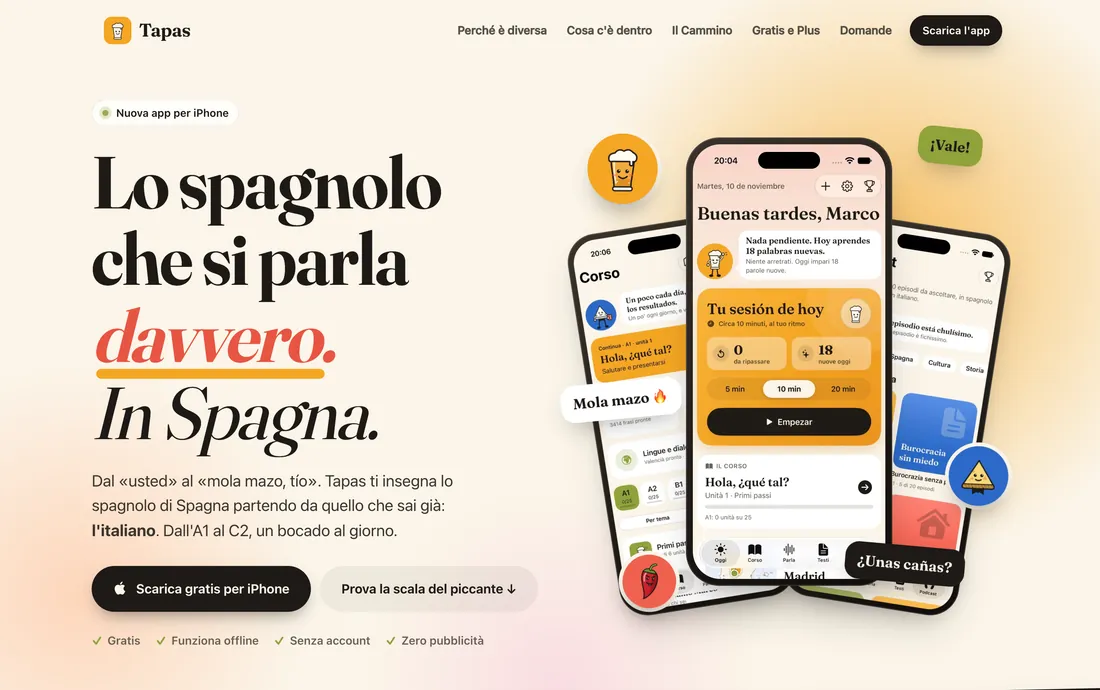
Tapas teaches the Spanish you hear in bars, offices and on the street in Spain, starting from what you already know: Italian. It’s our own project, from the idea to the content: a complete iPhone app that works without internet or an account, with its own launch website.

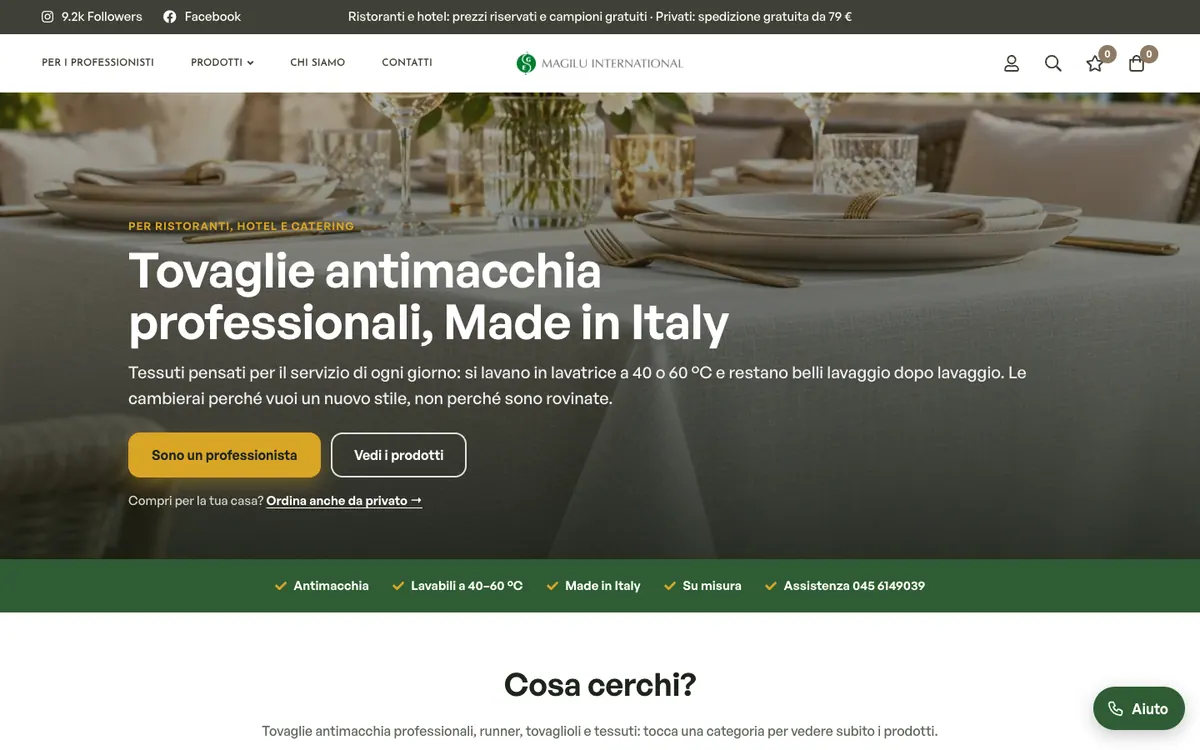
tapas.marcobagiacchi.it home page on desktop, full page
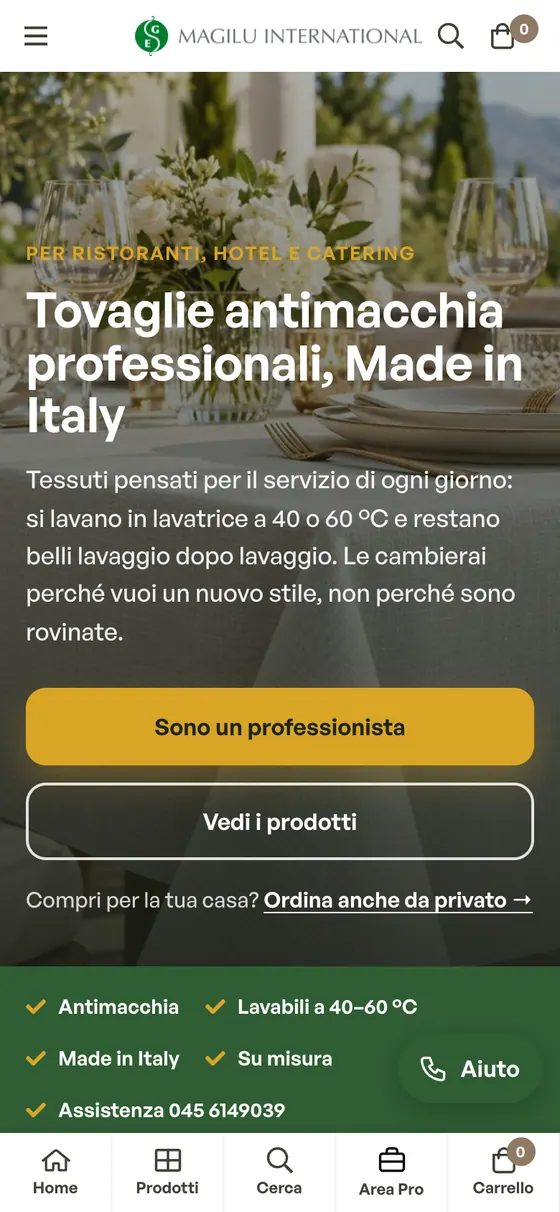
tapas.marcobagiacchi.it home page on mobile, full page
  • Course units137from A1 to C2, in 11 modules
  • Words and expressions5,371with examples and register
  • Ready-made phrases3,414in 50 situations and 4 registers
  • Podcast episodes20040 shows, about 31 hours
  • 32cities on the Camino, from Madrid to Santiago
  • 40tapas to earn, no streaks or leaderboards
  • 21languages and dialects of Spain, Valencian already available
  • 0accounts, servers or ads
Project
Tapas, iPhone app (a Nalu project)
Audience
Italians who want to speak the Spanish of Spain
Platform
SwiftUI and SwiftData on iOS, Apple frameworks only
Online since
November 2026, version 0.1
Services
Web app, Websites

A Spanish from nowhere.

  • «Neutral» Spanish, from nowhere
  • Explanations written for English speakers
  • Typical Italian mistakes ignored
  • A single, textbook register
  • Streaks to keep and leaderboards
  • Account and connection required

General apps teach a Spanish halfway between Madrid and Mexico City, explained for English speakers. Yet anyone living in or travelling to Spain hears vosotros, vale, coger el metro: and Italians make mistakes all of their own, from false friends to calques, that nobody points out.

On top of that, many apps reward showing up more than studying, with streaks and leaderboards, and they require an account and a connection. We wanted the opposite: an app that rewards what you actually learn and works anywhere, even on a plane.

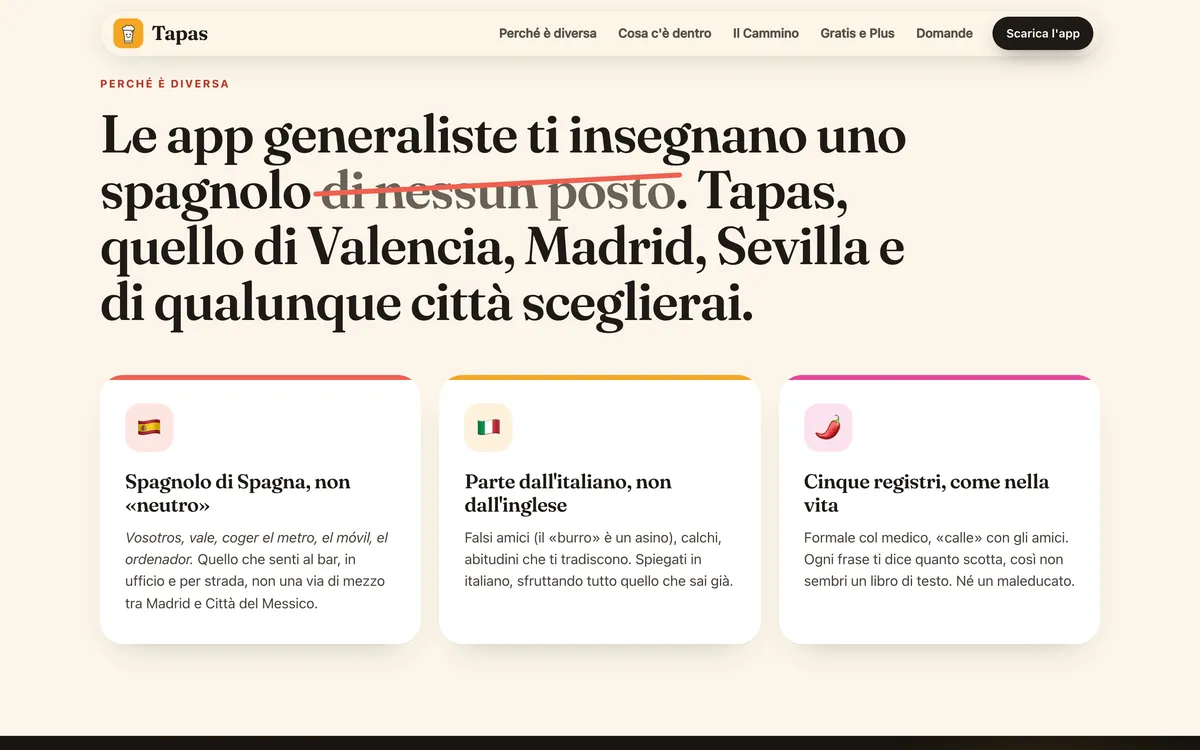
The Tapas website: why it differs from general apps
The three core choices: Spanish from Spain, starting from Italian, five registers.

The goalAn app that takes an Italian speaker from their first «Hola» to native level with the Spanish actually spoken in Spain, flags the mistakes typical of Italian speakers, and lives entirely on the phone, with no account and no ads.

A course, a phrasebook, a podcast and a friend who corrects you.

01 · The course

From A1 to C2, one bocado a day.

137 units in 11 themed modules, from the bar to bureaucracy all the way to native-speaker irony. Each unit has a dialogue, vocabulary, grammar and registers, written and spoken practice, and reading. An adaptive placement test skips what you already know, and review brings every word back just as you are about to forget it.

  • 137 units, each with 11 exercises
  • Adaptive placement test, with written checks
  • FSRS review in 5, 10 or 20-minute sessions

Hola, ¿qué tal?B1 · bureaucracyC2 irony

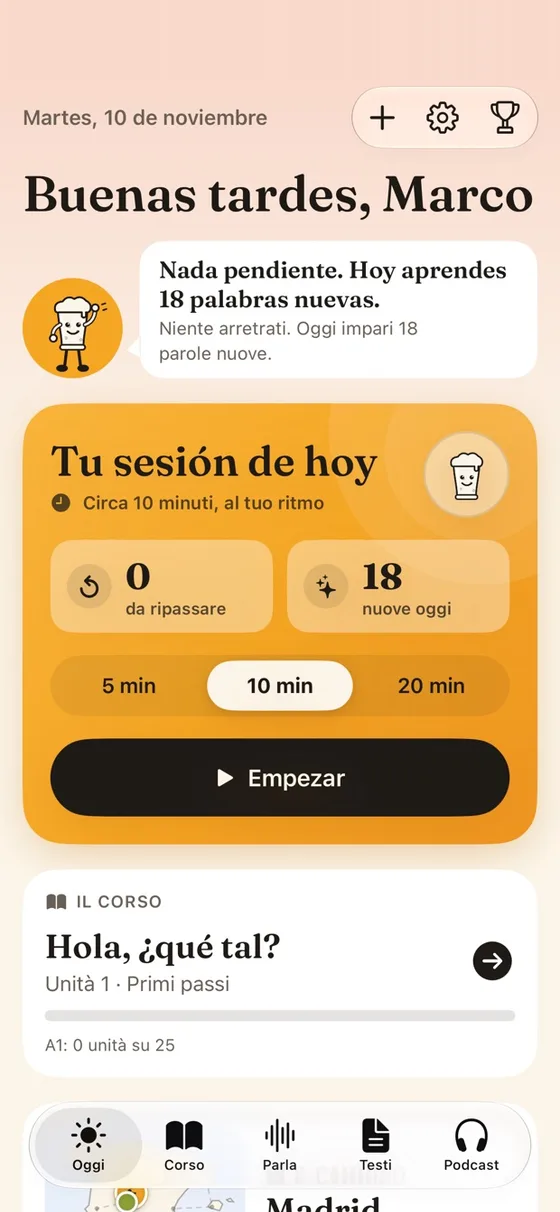
Today: the daily session with reviews and new words
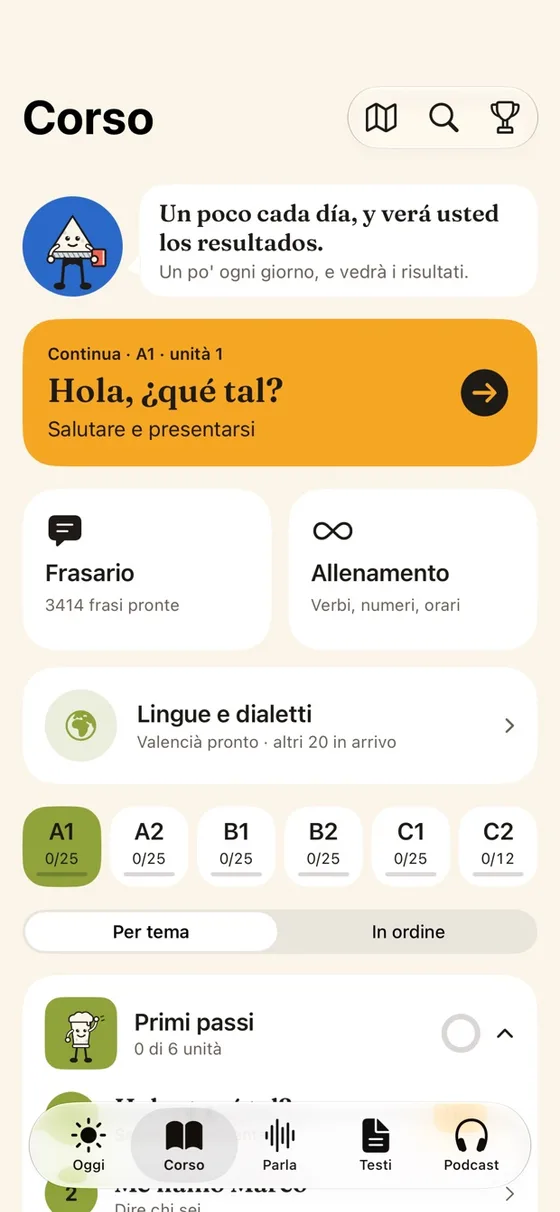
The course with levels from A1 to C2
A unit: the dialogue with translation
02 · Registers and the Mirror

The same idea, five ways to say it.

In Spain it’s not just what you say, but how. Every phrase has its register, from formal to «calle», and five characters bring them to life. The Mirror reads back what you write or say and flags your Italian habits: false friends, calques, mistakes like «ayer he ido».

  • Five registers, each with its own colour and character
  • The Mirror spots typical Italian mistakes
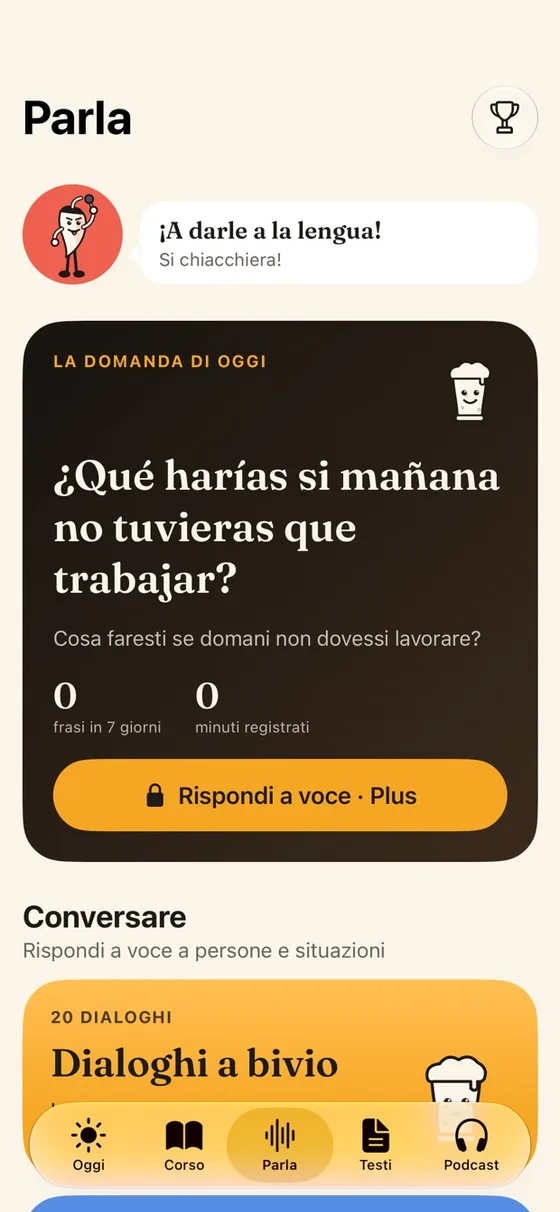
  • Question of the day, branching dialogues and free speaking
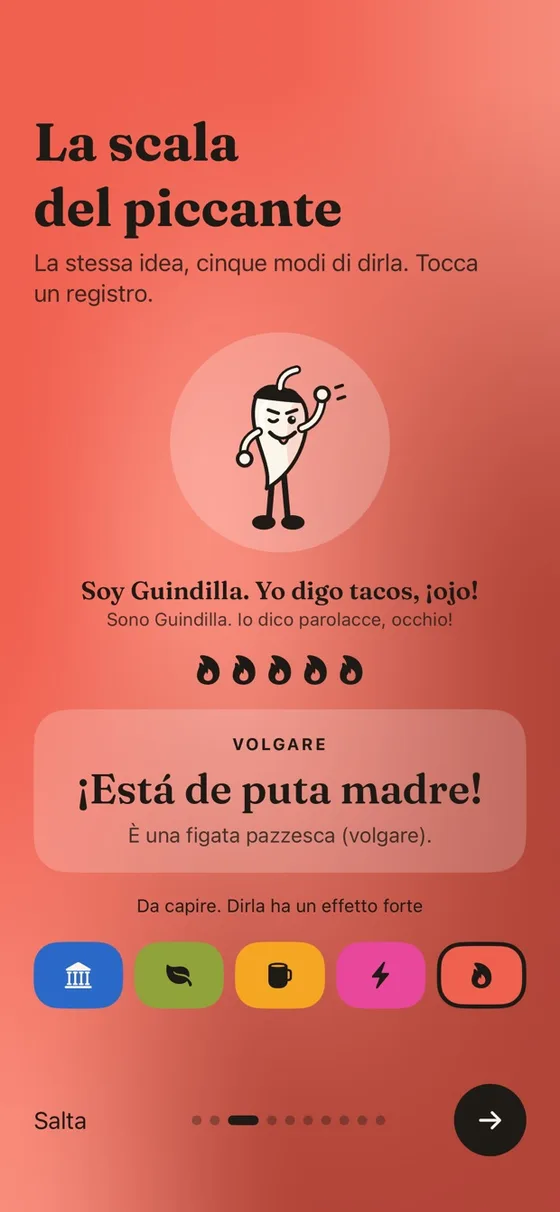
The spice scale: five registers
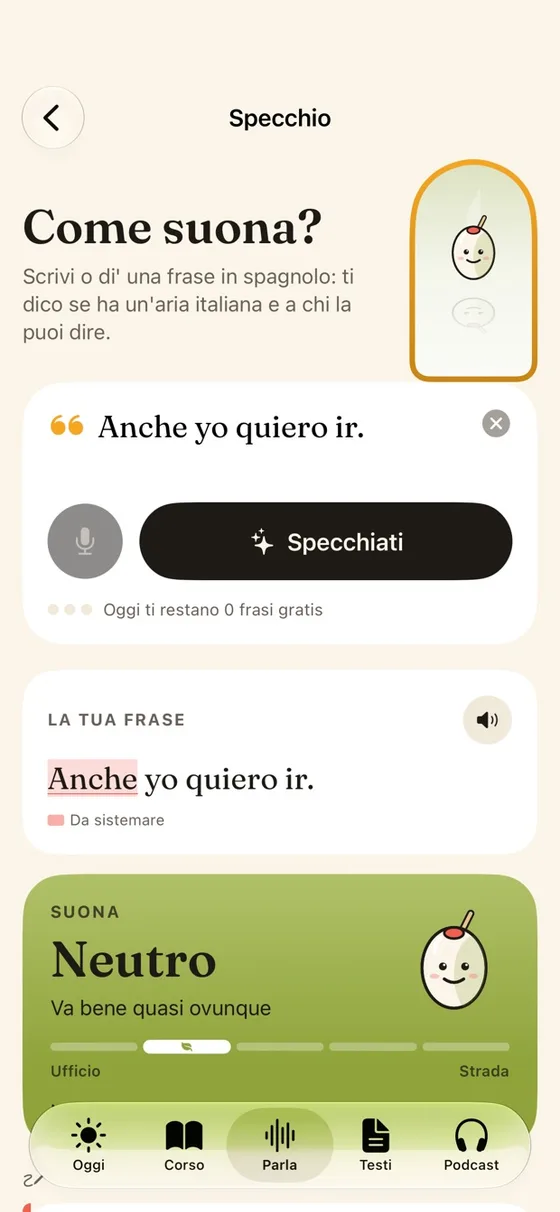
The register Mirror
Speak: today’s question
03 · The Camino and the bar

You learn, and cross Spain along the way.

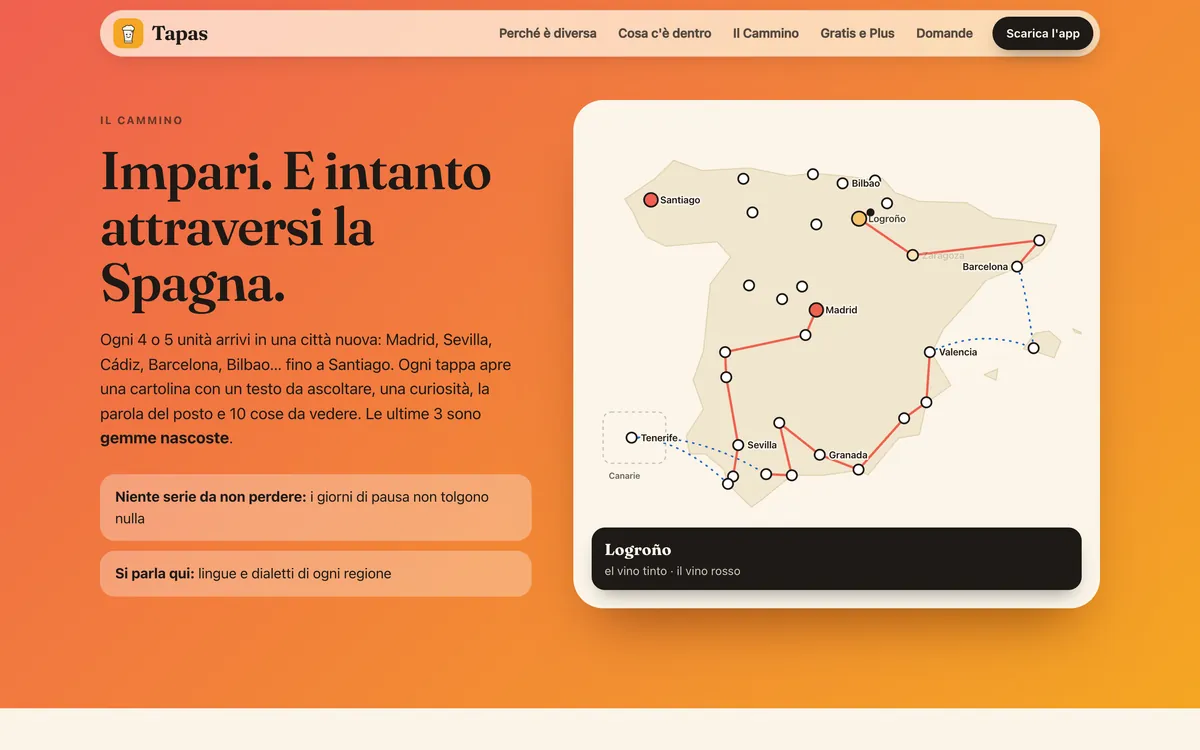
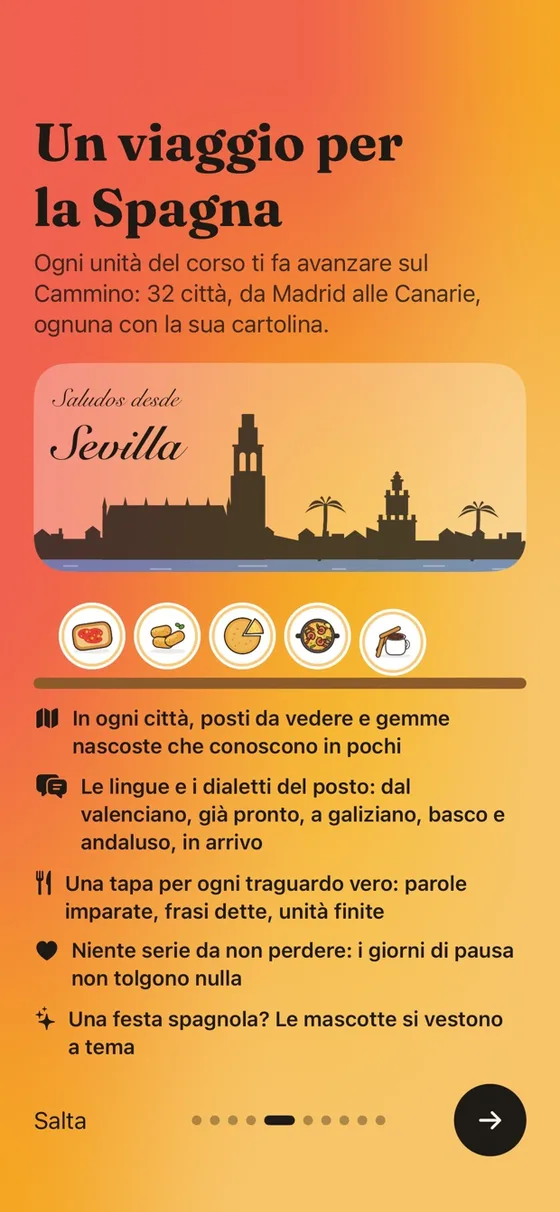
Every 4 or 5 units you reach a new city, from Madrid to Santiago: a postcard to listen to, a fun fact, the local word and ten things to see. Meanwhile a bar of 40 tapas fills up, each for a real milestone. No streaks to keep: days off take nothing away.

  • 32 cities with a postcard, a stamp and a drawn skyline
  • 40 tapas for real milestones, never for just showing up
  • Spanish festivals on the mascots, from Nochevieja to San Fermín
The Camino as shown on the website
A journey across Spain in the app
04 · Podcasts, chats and texts

Real Spanish, to listen to and to read.

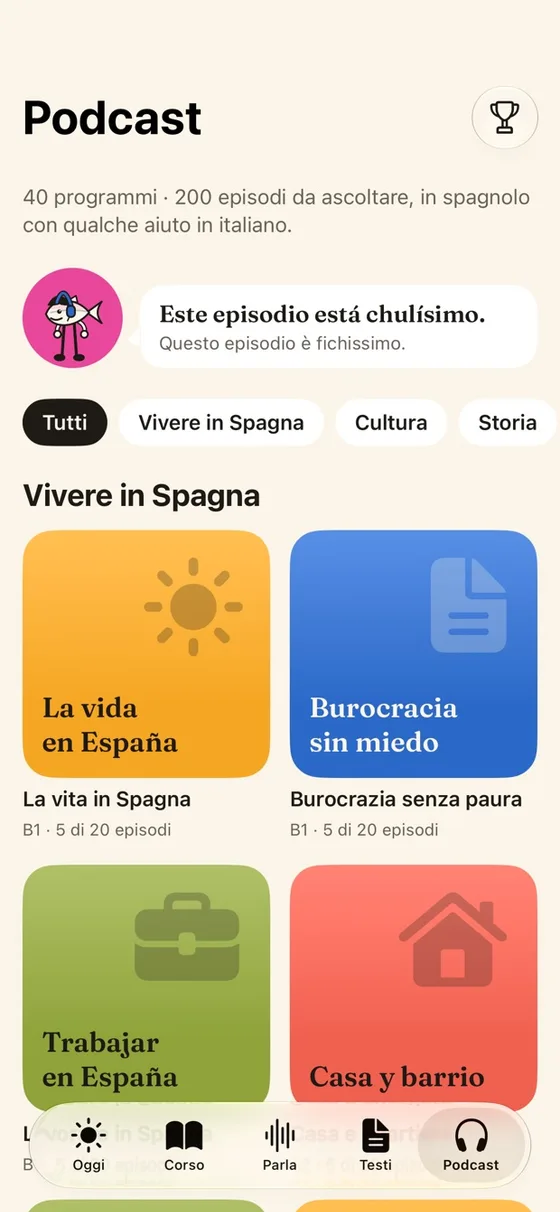
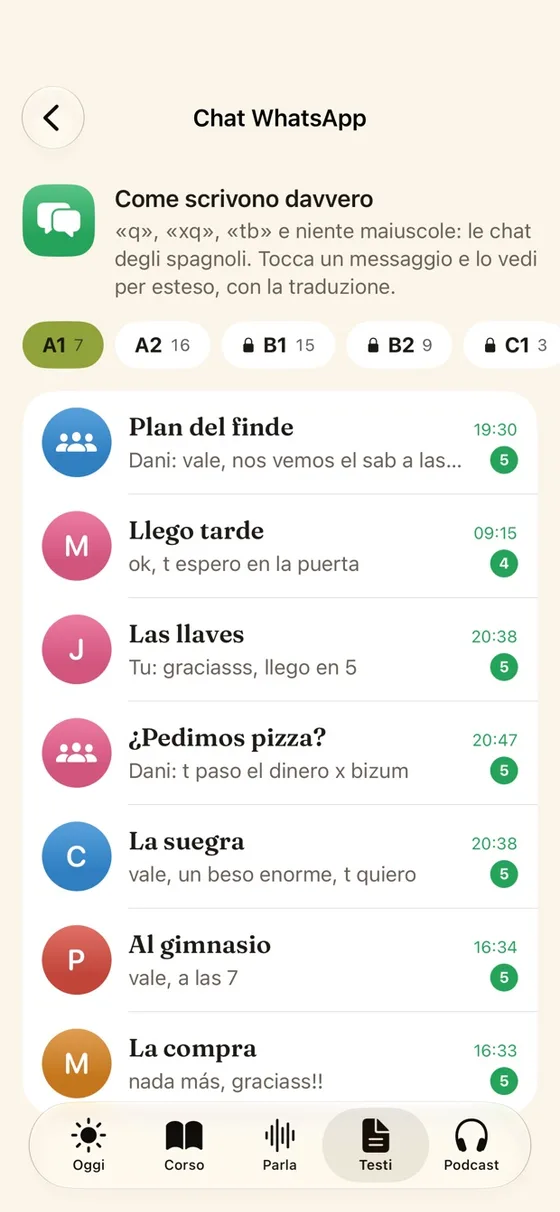
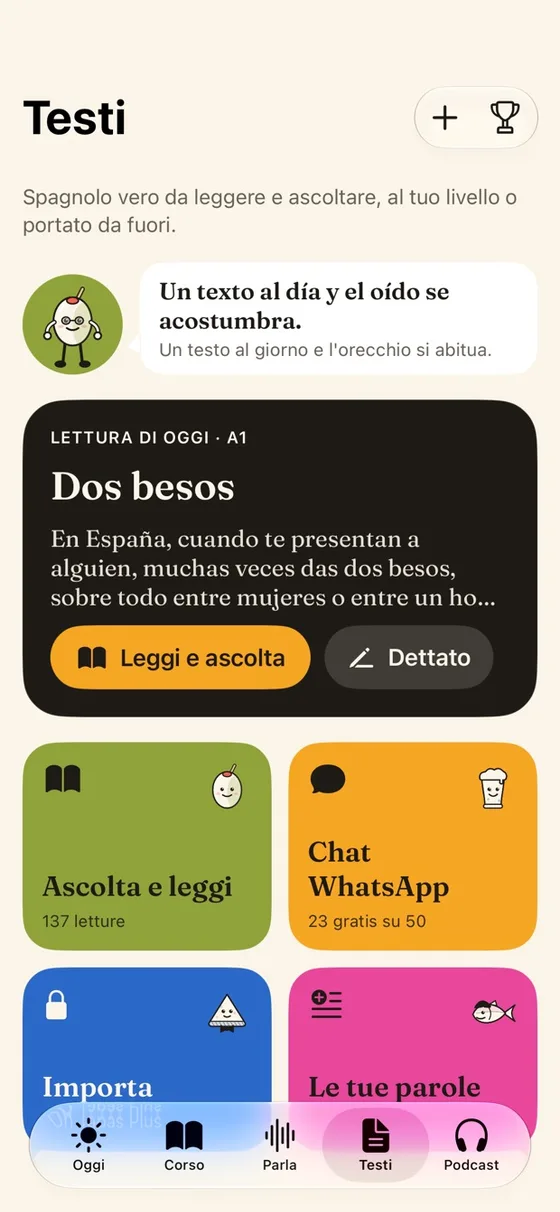
40 podcast shows, from life in Spain to history, with a scrolling transcript and listening with the screen off. 50 WhatsApp chats sorted by level, interactive readings and dictations. And your own texts: subtitles, articles or photos, and the app tells you how many words you already know.

  • 200 episodes, adjustable speed and mini player
  • 50 WhatsApp chats, from the friends’ group to the mother-in-law
  • Import subtitles, texts and photos with text recognition
Tapas podcasts
WhatsApp chats by level
Texts: readings, dictations and chats
05 · Phrasebook, dialects and practice

Ready for any situation, even in Valencian.

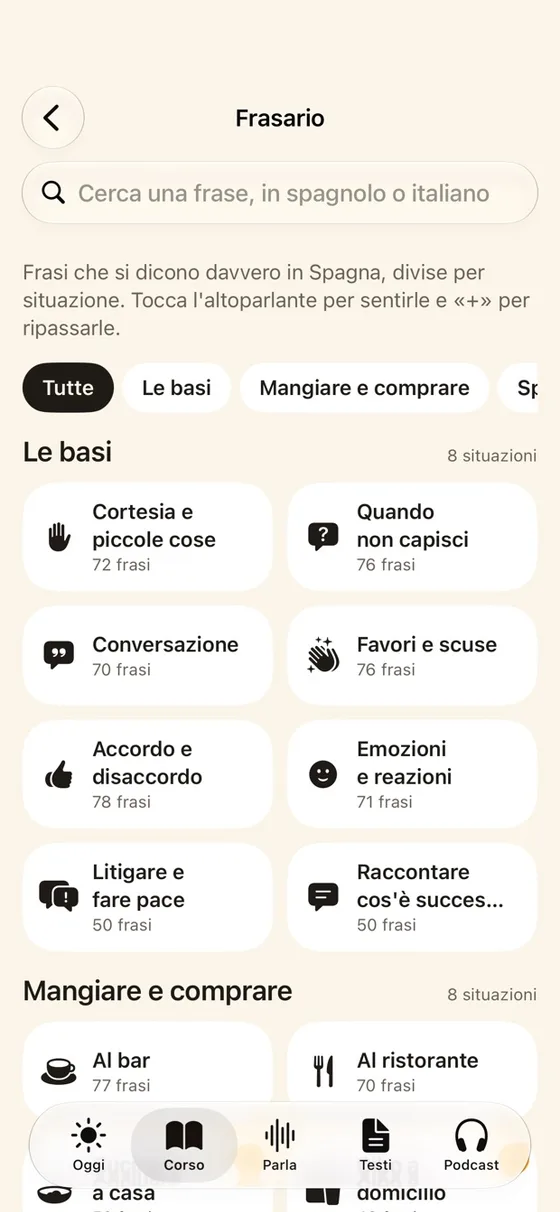
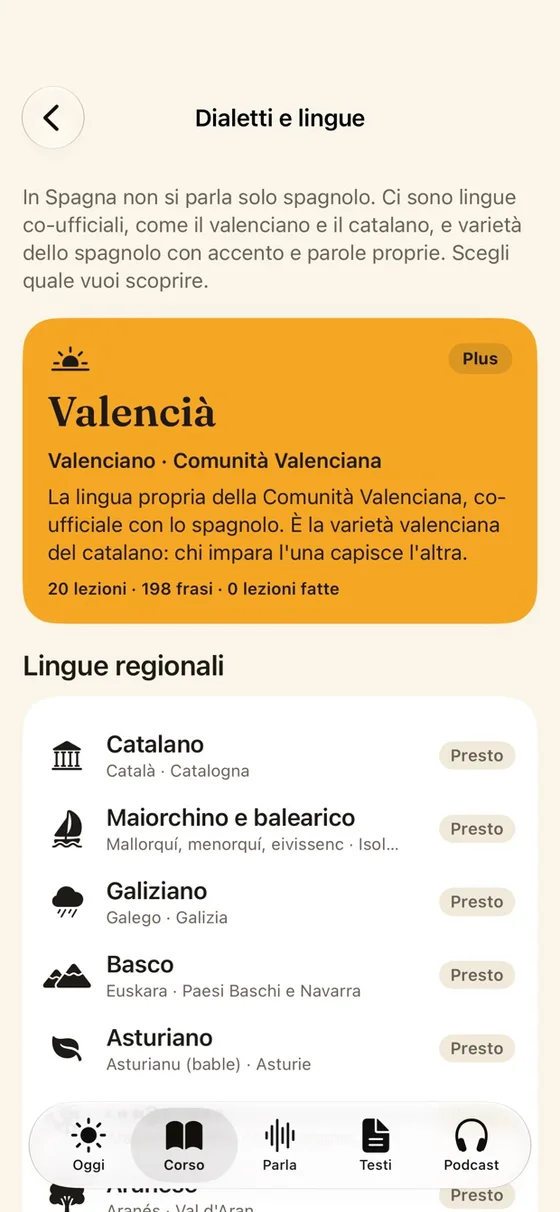
The phrasebook gathers 3,414 phrases in 50 situations, from the doctor to a first date, each in four registers. The languages of Spain have their own section, with a Valencian course already available. And practice mode drills conjugations, articles and fill-in-the-blank sentences.

  • 3,414 phrases to listen to and add to review
  • 21 languages and dialects, 20 Valencian lessons
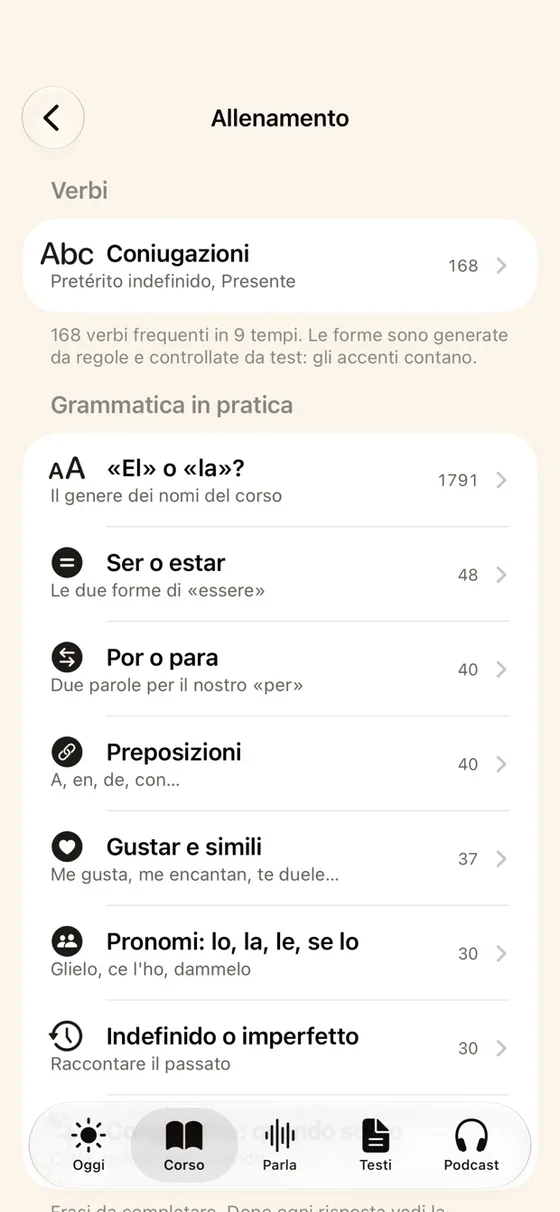
  • Conjugations of 168 verbs in 9 tenses
The phrasebook with its situations
Dialects and languages of Spain
Practice on verbs and grammar

Inside the iPhone, and beyond it.

Tapas doesn’t live only inside the app: it reaches the Home Screen, the Lock Screen and your headphones.

  • Fully offline

    Course, voice, speech recognition and the Mirror all run on the phone, even on a plane.

  • Widgets and Live Activity

    The word of the day on the Home Screen, the Camino and review at a glance.

  • Siri and hands-free

    «How do you say…» with Siri, and an audio-only session while you walk or cook.

  • An honest placement test

    Adaptive, in six stages: when in doubt, the lower level counts.

  • Five characters

    Caña, Don Manchego, Oliva, Boquerón and Guindilla: one per register, each with their own lines.

  • 25 icons and dark mode

    Light, dark or time-based theme, and your choice of app icon.

  • Signed Plus codes

    Tapas Plus is activated with a code checked on the phone, even without internet.

  • File backup

    Your progress stays yours: export it to a file when you change iPhone.

Other apps and Tapas, point by point.

AreaIn general appsIn Tapas
SpanishA mix of Spain and Latin AmericaSpanish from Spain: vosotros, vale, coger el metro
Starting pointExplanations for English speakersExplanations in Italian, with false friends and calques
RegistersOne, straight from the textbookFive, from formal to «calle»
CorrectionRight or wrongThe Mirror flags Italian habits
MotivationStreaks and leaderboardsReal milestones: 40 tapas and 32 cities
ContentShort lessonsA1–C2 course, phrasebook, podcasts, chats and dialects
LevelYou pick it yourselfAdaptive test with written checks
DataAccount and serversAll on the phone, file backup
AdvertisingOften presentNone
PriceSubscriptionA real part free forever, Plus with a code

All on the phone, no server.

Server0accounts, servers or tracking
App6.8 MBthe install file, with the whole course inside

Tapas has no server: content, progress and corrections all live on the iPhone. For now it is installed with SideStore from the website, and Tapas Plus is unlocked with signed codes the app checks by itself, without internet.

  1. 01
    Truly offline

    Content as JSON inside the app, on-device voice and speech recognition.

  2. 02
    Signed codes

    Every Plus code is signed with an Ed25519 key: the app verifies it offline.

  3. 03
    File backup

    Progress is exported to and imported from a file, to change iPhone.

  4. 04
    Installation

    The website explains in three steps how to install the app with SideStore.

  • 5.6 MBof course content
  • 290 msto have content ready at launch
  • 25icons to choose from
The Tapas website: how to download the app
The site offers the download and explains how to install the app in three steps.

The website, in numbers.

  • 100Website performance on desktop
  • 100Website performance on mobile
  • 100Accessibility
  • 100Best practices
  • 100SEO

Lighthouse, 11 November 2026, on tapas.marcobagiacchi.it: best values out of three runs.

Quality checked

  • Review, placement test and Plus rules covered by automated tests
  • Dark mode, extra-large text and Reduce Motion checked
  • Placement test with balanced options, checked by a script
  • Launch website scoring 100 on accessibility, best practices and SEO

For learners

  • The Spanish you actually hear in Spain, explained in Italian.
  • A real part of the course free forever, with no ads.
  • You can study anywhere, even offline, and your data stays on the phone.

What’s coming

In the works: 600 new podcast episodes, more dialects after Valencian and the full C2, from 12 to 25 units.

Take this case study with you.

To read at your own pace, share with colleagues or present in a meeting.

For those who want the technical details.

Our roleIdea, plan, teaching content, character design, app and widget development, launch website and release.

Architecture
App
SwiftUI on iOS, Apple frameworks only, no paid dependencies.
Data
SwiftData with a versioned schema and migrations, file backup.
Libraries
FSRS review, placement test, answer grading and Plus rules in libraries testable on the Mac.
Content
Format
Course, phrasebook, podcasts and dialects in compact JSON, generated by scripts.
Exercises
11 per unit: 3 written by hand and 8 generated from the same unit’s content.
Checks
Automatic validation of content and placement-test options.
Voice and text
Item
iOS text-to-speech, with a guide to download the best voices.
Listening
On-device speech recognition.
Copy
Subtitle and photo import with iOS text recognition.
Outside the app
System
Widgets, Control Center controls, Live Activity, Siri and Spotlight.
Distribution
App installable with SideStore; Plus codes signed with Ed25519.

Tapas started as a plan on 31 October 2026 and was written from scratch: app, content, characters and website. An example of what we can do when the idea is ours.

The app screenshots were taken in the iOS simulator and are the same ones used on the launch website. The website screenshots are from 11 November 2026. Content figures refer to version 0.1.

If you feel
the time is right,
it probably is.

Tell us about your project: the assistant prepares the brief in two minutes, then a person from the team replies. No automatic quotes.

MBCBMCThe Nalu team, here for you